Camera IP Setup app icon
For macOS — no Windows PC required

Change PTZ camera
IP addresses on a Mac

Camera IP Setup finds Panasonic AW-series and ONVIF cameras on your network and changes their IP address, subnet mask, gateway and DNS — even when the camera is sitting on a different subnet. The Mac alternative to the Windows-only Easy IP Setup tool.

Free download • Free to scan • One-time $14.99 unlock to change settings • No subscription
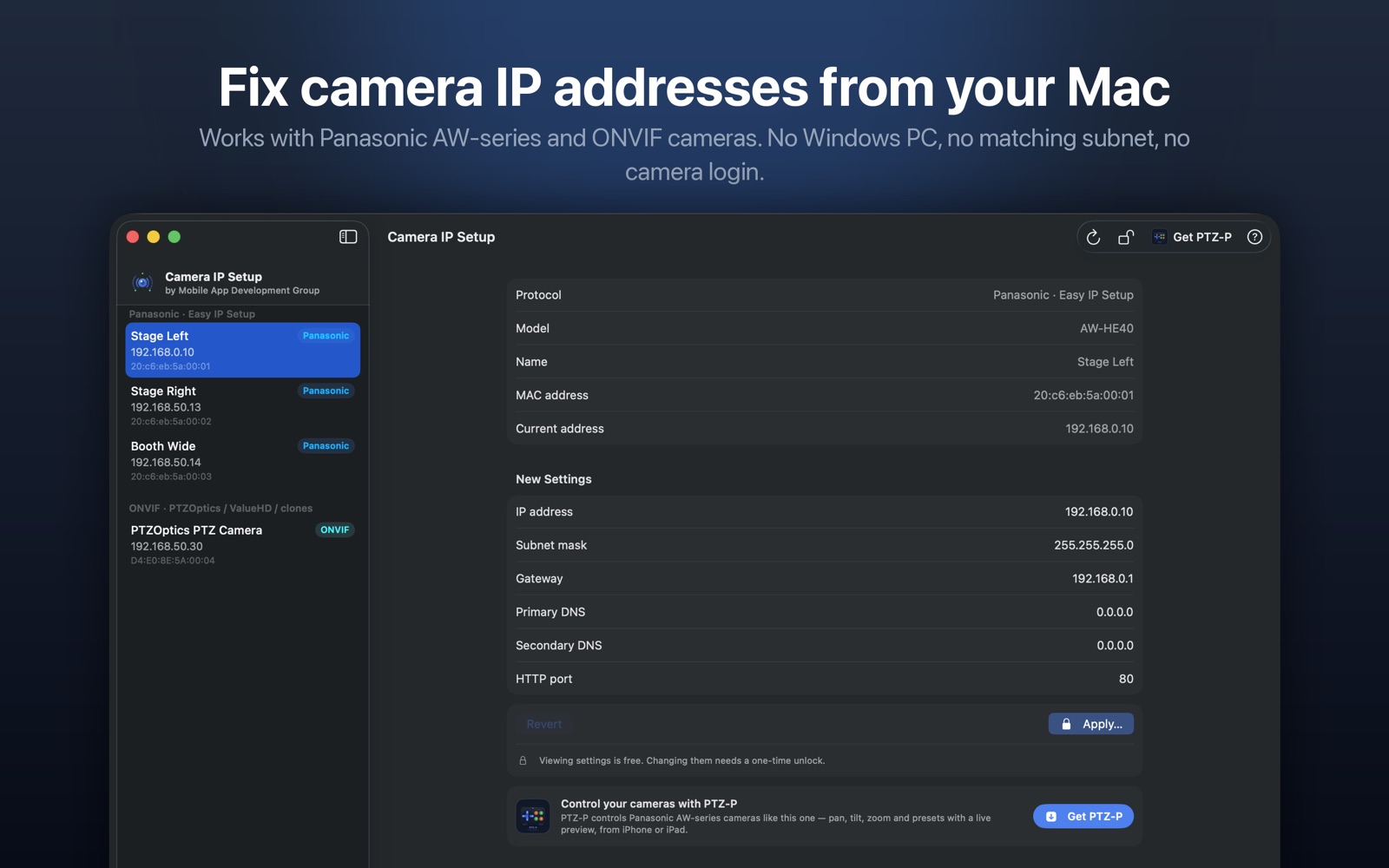
Camera IP Setup showing a Panasonic AW-HE40 camera and its network settings
The missing Mac tool

A new camera arrives at 192.168.0.10. Your network is 192.168.50.x.

Until now that meant borrowing a Windows laptop, or temporarily renumbering your Mac to reach the camera's web page. Camera IP Setup finds the camera by broadcast and moves it onto your network directly — no matching subnet, no camera login, no Windows.

Features

Everything you need to get a camera on the network

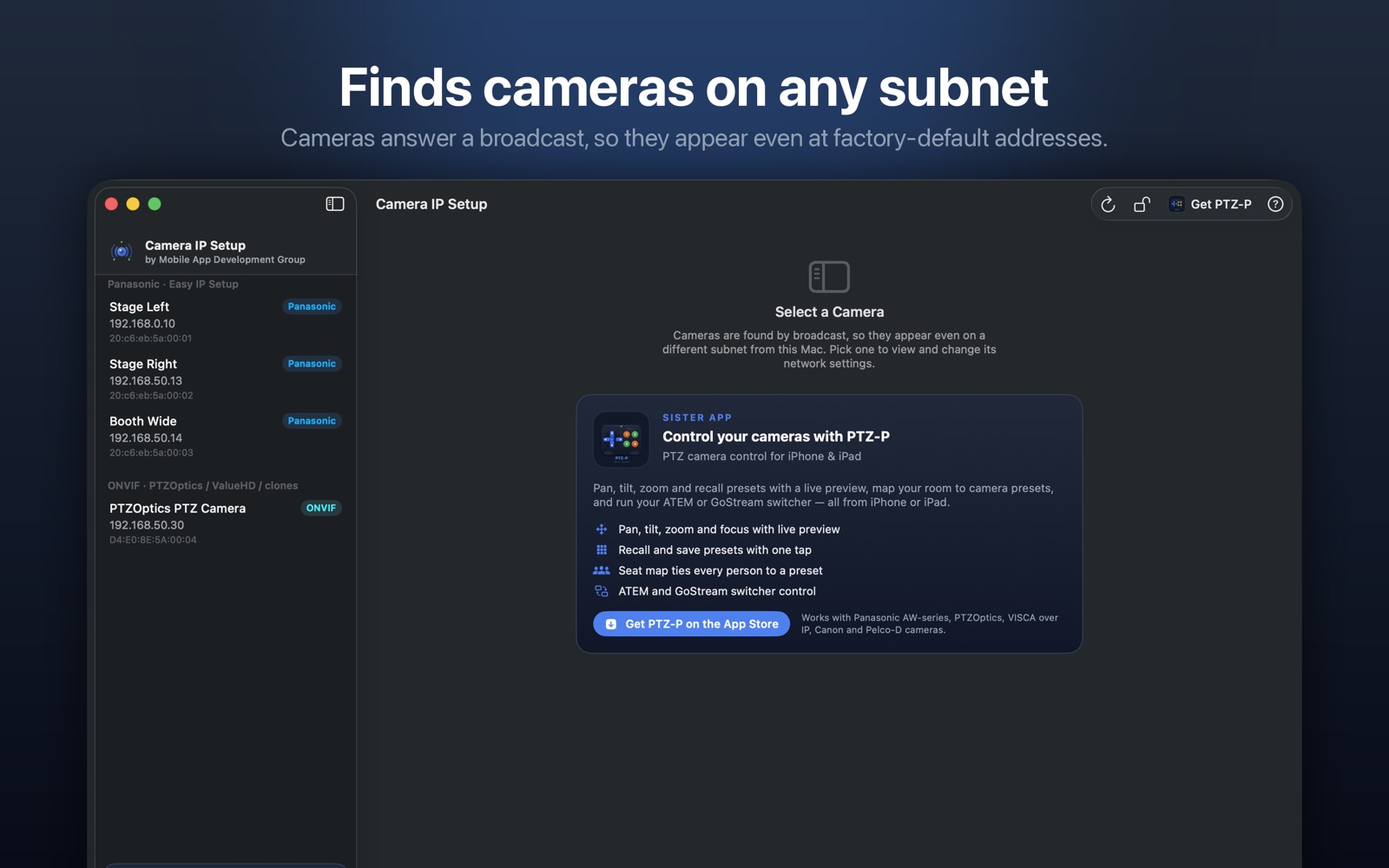
Finds cameras on any subnet

Panasonic AW-series cameras answer a broadcast and are matched by MAC address, so they show up even at factory-default or unknown addresses.

Changes every network setting

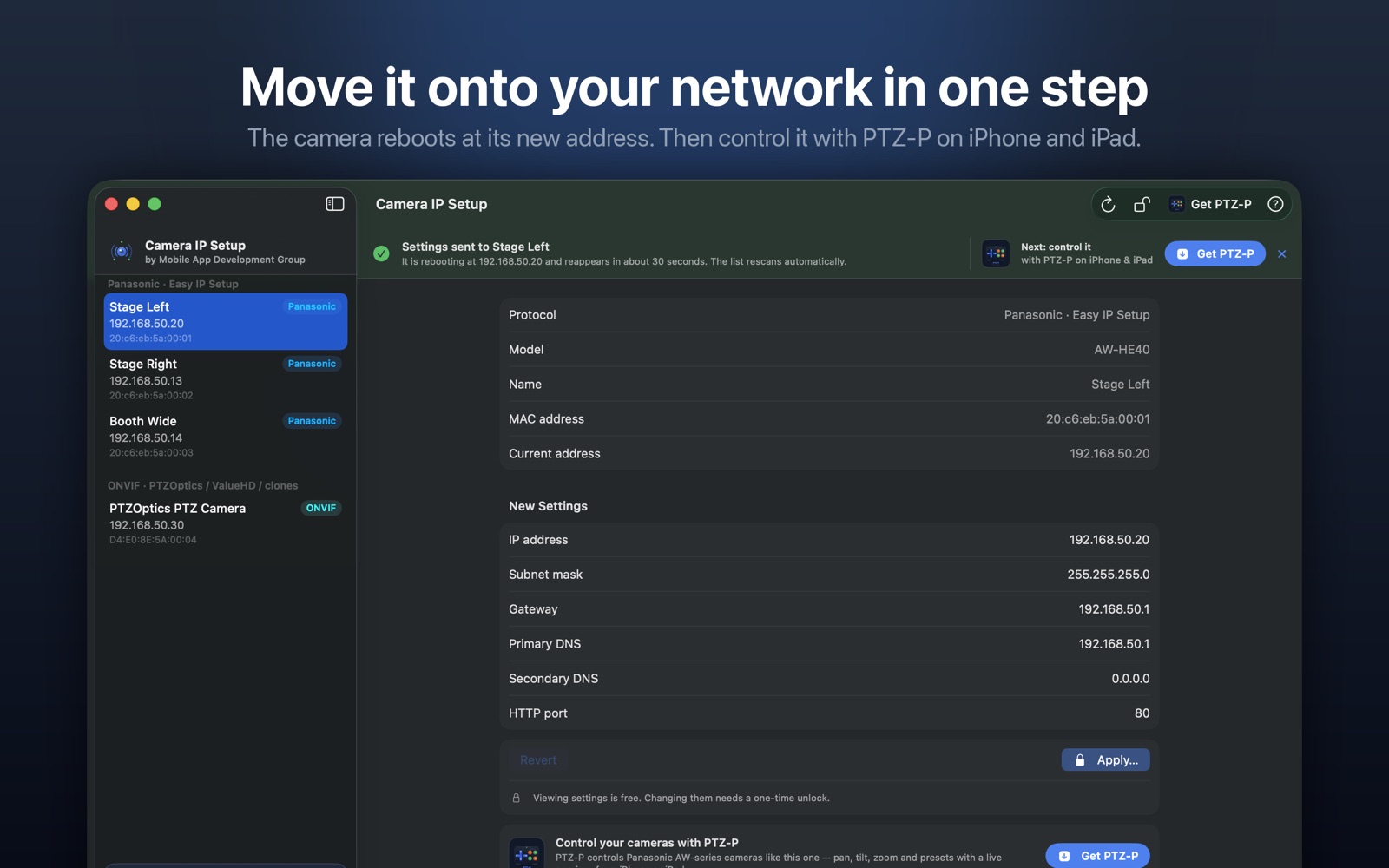
IP address, subnet mask, gateway, primary and secondary DNS, and HTTP port. The camera reboots at its new address in about 30 seconds, and the list rescans automatically.

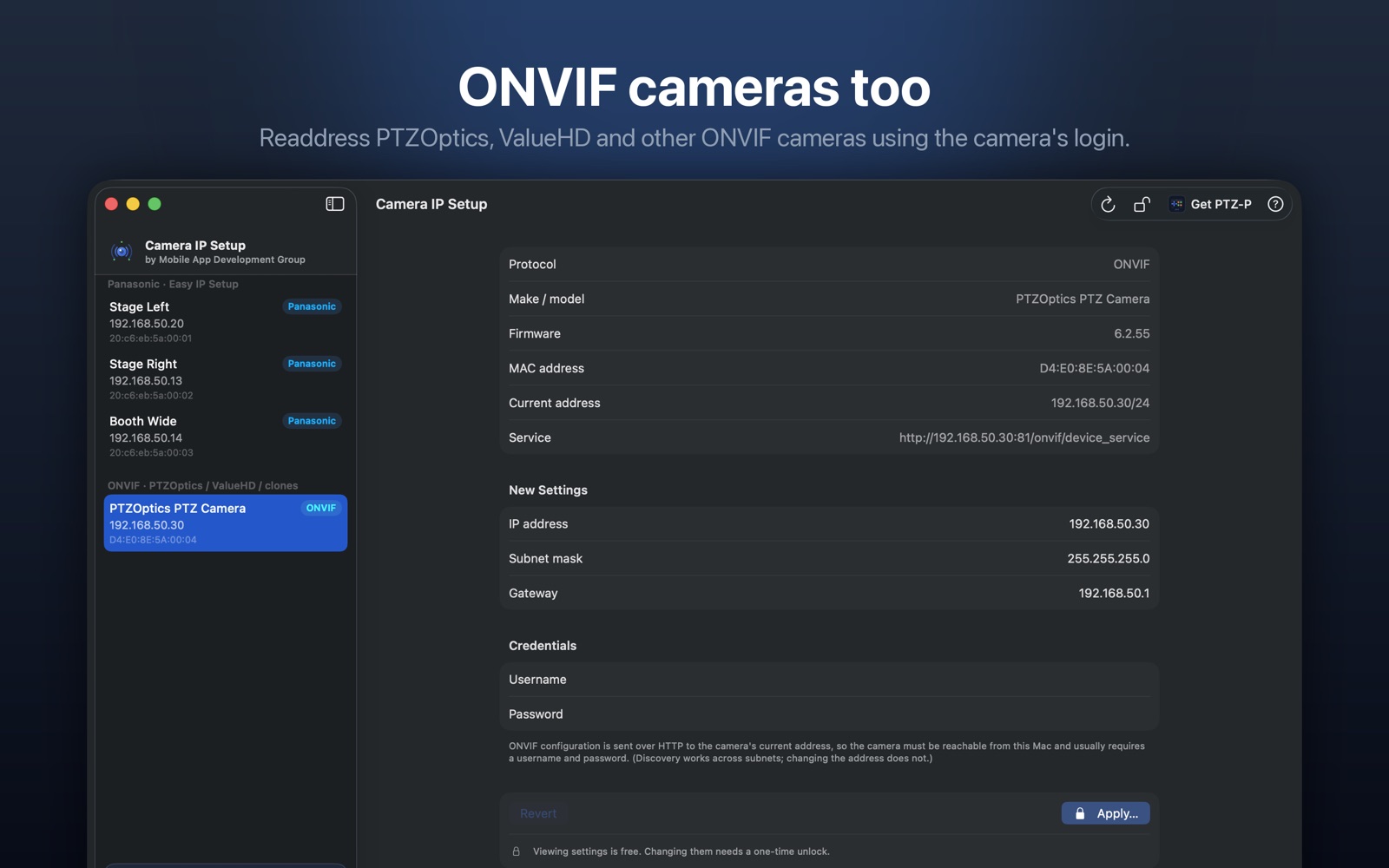
ONVIF cameras too

Discover PTZOptics, ValueHD and other ONVIF cameras, read their make, model, firmware and MAC, and readdress them with the camera's login.

Try before you buy

Scanning and viewing settings are free, so you can confirm your cameras appear first. No camera handy? Explore the app with built-in sample cameras.

Private by design

Everything happens on your local network. No account, no analytics, nothing sent to us.

Built-in troubleshooting

If nothing answers, the app walks you through the usual causes: Local Network permission, switch and VLAN, and the post-power-on setup window.

Camera list showing Panasonic and ONVIF cameras found on the network ONVIF camera settings with credentials
How it works

Three steps, about a minute

  1. 1

    Plug in and scan

    Connect your Mac to the same switch or VLAN as the camera and press Scan. Allow Local Network access the first time.

  2. 2

    Enter the new address

    Select the camera and type its new IP, subnet mask and gateway. Moving subnets? Change the gateway too.

  3. 3

    Apply

    The camera reboots onto your network and reappears in the list. Then take control of it with PTZ-P.

Confirmation after moving a camera to a new IP address, with a link to PTZ-P
PTZ-P app icon
Sister app

Camera IP Setup gets cameras on your network.
PTZ-P runs them.

PTZ-P is our iPhone and iPad app for live production. Pan, tilt, zoom and focus with a live preview, recall presets in one tap, map your room so every seat has a preset, and run your ATEM or GoStream switcher from the same screen. Works with Panasonic AW-series, PTZOptics, VISCA over IP, Canon and Pelco-D cameras.

Pricing

Free to scan. Pay once to apply.

Download free and confirm your cameras show up. When you're ready to change settings, a single in-app purchase unlocks it for good — including future updates. No subscription.

$14.99
one-time • US price, varies by country
FAQ

Questions

Is there a Mac version of Panasonic Easy IP Setup?▾

Panasonic's Easy IP Setup tool runs on Windows only. Camera IP Setup is an independent Mac app that speaks the same discovery protocol, so it finds Panasonic AW-series cameras and changes their network settings from macOS. It is not made or endorsed by Panasonic.

Which cameras does it work with?▾

Panasonic AW-series PTZ cameras that Panasonic's Easy IP Setup tool supports — verified on the AW-HE40; other AW-series models use the same protocol but have not each been tested. ONVIF cameras, including PTZOptics and ValueHD, are supported as well. Scanning is free, so if your camera appears in the list, the app can change its settings.

Can I change a camera that is on a different subnet?▾

Yes, for Panasonic AW-series cameras: they are addressed by MAC address over broadcast, so the camera only needs to share a switch or VLAN with your Mac. ONVIF cameras are found across subnets too, but changing their address is sent to the camera's current IP, so the camera must be reachable from your Mac.

Why doesn't my Mac find any cameras?▾

Usually macOS has blocked Local Network access: allow Camera IP Setup in System Settings › Privacy & Security › Local Network, then scan again. Check the camera is on the same switch or VLAN (broadcast doesn't cross routers), and power-cycle it — some Panasonic models accept network setup only for about 20 minutes after power-on. Quit any other setup tool that might be using the discovery port.

What does it cost?▾

The download and scanning are free. Changing settings is a one-time $14.99 in-app purchase (US price). There's no subscription, and Restore Purchase brings it back on another Mac signed in to the same Apple Account.

Does it control the camera — pan, tilt, zoom?▾

Camera IP Setup handles network setup. For day-to-day camera control, use its sister app PTZ-P on iPhone and iPad.

Support

Questions, a camera that isn't found, or a model you'd like confirmed? Email admin@mobileappdevelopmentgroup.com and include your camera model and macOS version.